



.png)
What Is Financial Phishing?
Financial phishing is a form of cybercrime in which fraudsters impersonate legitimate banks, payment platforms, or financial institutions to trick you into surrendering sensitive information - account numbers, passwords, Social Security numbers, or credit card details. Once they have that data, they can drain your accounts, open lines of credit in your name, or sell your information on the dark web.
According to the FBI's Internet Crime Complaint Center, phishing is consistently one of the most reported cybercrimes in the United States, costing Americans hundreds of millions of dollars every year. With AI-generated content making fraudulent communications more convincing than ever, knowing what to look for has never been more critical.
This guide breaks down the three most common delivery methods - phishing emails, smishing texts, and malicious pop-ups - and explains exactly how to spot them before it's too late.
Part 1: Financial Phishing Emails
Email remains the most widely used phishing vector. Attackers craft messages designed to look nearly identical to official correspondence from your credit union, bank, the IRS, PayPal, investment platforms, or other financial services you trust.
How Phishing Emails Deceive You
Phishing emails work by exploiting trust and urgency simultaneously. They typically impersonate a brand you already have a relationship with and deliver a message designed to make you panic, like warning of account suspensions, unusual login activity, unauthorized transactions, or locked access. That manufactured sense of emergency pushes you to act instead of think.
The visual design of these emails is often sophisticated. Scammers copy real brand logos, fonts, color schemes, and even legal disclaimers to make their messages appear indistinguishable from genuine communications at a glance.
Warning Signs in Phishing Emails
Several consistent red flags appear across financial phishing emails, regardless of which institution they impersonate.
Suspicious sender domains are one of the most reliable indicators. Legitimate banks and financial institutions send email only from their official domains. Phishing emails often use domains that closely mimic the real one, adding words like "secure," "alert," or "verify," or swapping the top-level domain from .com to .net or .org. Always check the full email address, not just the display name.
Artificial urgency is a hallmark of phishing. Language like "your account will be closed within 24 hours," "immediate action required," or "your funds are at risk" is designed to bypass critical thinking. Legitimate financial institutions give customers reasonable time and multiple contact channels to resolve issues.
Mismatched or suspicious links are common. Hovering over any link in an email (without clicking) reveals the true destination URL. If the link does not match the official domain of the institution, or contains unusual subdomains, hyphens, or unfamiliar extensions, do not click.
Common Financial Phishing Email Types
Phishing emails targeting finances tend to fall into a handful of recurring categories.
- Fake mobile or online banking platform alerts claim your account has been locked or compromised.
- Payment service scams use fake transaction confirmations from platforms like PayPal or Venmo, prompting you to "dispute" a charge and hand over your credentials in the process.
- Tax refund scams impersonate the IRS and claim you are owed a reimbursement that requires account verification to collect.
Part 2: Smishing - Financial Phishing via Text Message
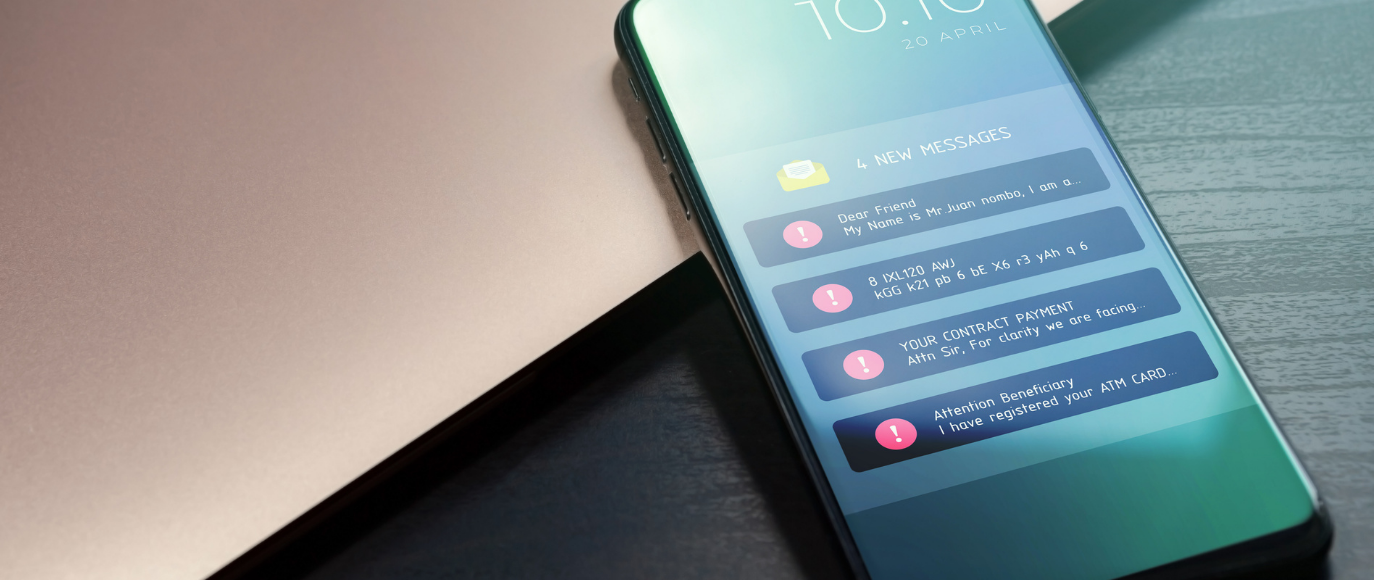
Smishing - a combination of "SMS" and "phishing" - has grown dramatically as a threat vector. Text messages feel more immediate and personal than email, and many people apply less scrutiny to them, which is precisely what scammers rely on.
How Smishing Attacks Work
Smishing messages typically claim to be from your bank, a payment app, a government agency, or a delivery service. They either contain a link leading to a fraudulent website or a phone number connecting you to a fake customer service representative. Unlike email, texts don't always give you the opportunity to inspect a sender's domain, making them easier to disguise.
Scammers also exploit number spoofing, which allows them to make a text appear to come from an official or familiar number. This means the appearance of a legitimate sender number is not a reliable indicator of authenticity.
Warning Signs in Smishing Texts
Unsolicited alerts requiring immediate action are the most common format. Any text claiming your account has been frozen, that you owe money, or that a transaction needs urgent confirmation, especially one you didn't initiate, should be treated as suspect.
Requests to reply with personal information are never legitimate. No bank or financial institution will ask you to reply to a text with your account number, PIN, password, or Social Security number.
Links with unfamiliar or hyphenated domains mirror the same red flags as phishing emails. Legitimate banks rarely send links via text, and when they do, those links resolve to their verified official domain.
Threats of legal or financial consequences, such as arrest, account closure, or penalties, are almost universally fraudulent. The IRS, Social Security Administration, and other government agencies do not conduct official business via text message or threaten immediate legal action by SMS.
Unexpected "payment received" notifications that require you to claim or verify funds through a link are a common smishing lure. Legitimate payment platforms like Zelle or Venmo do not require external link verification to release funds.
What Happens When You Engage
Clicking a smishing link typically leads to one of three outcomes.
1. A credential harvesting page: a website designed to look exactly like your bank's login portal, which captures whatever you type into it.
2. A malware download: simply visiting the link installs spyware or a banking trojan on your device.
3. A vishing handoff: the link directs you to call a phone number where a live scammer poses as a customer service representative and walks you through handing over your account details.
Part 3: Malicious Pop-Ups
Browser-based phishing pop-ups are the third major delivery mechanism for financial fraud. These appear when you visit a compromised website, interact with a malicious advertisement, or have malware already running on your device.
How Pop-Up Phishing Works
Malicious pop-ups exploit the visual language of legitimate security alerts. They are designed to look like warnings from your operating system, your browser, or a financial institution, complete with official-looking logos, color-coded alerts, and authoritative language. Their goal is to either frighten you into calling a fake support number or trick you into entering credentials on the spot.
Unlike phishing emails, which require you to open and read a message, pop-ups can appear mid-session, sometimes even while you are actively using a legitimate financial website. This timing makes them feel especially credible and urgent.
Warning Signs in Phishing Pop-Ups
Phone numbers in browser security alerts are always fraudulent. Microsoft, Apple, Google, and legitimate antivirus companies do not display customer support numbers in browser pop-ups. Any pop-up asking you to call a number to resolve a security issue is a scam.
Pop-ups that prevent you from closing them use JavaScript to loop or block the browser's close functions. This is a pressure tactic. You can always safely force-quit your browser using keyboard shortcuts (Alt+F4 on Windows, Command+Q on Mac) without any risk to your device or files.
Mid-session credential prompts that appear without warning, asking you to re-enter your banking username, password, or one-time PIN, are not generated by legitimate financial sites. If you see an unexpected login overlay appear while you're already using your bank's website, close the browser and navigate back manually.
Extreme and alarming language such as all-caps warnings, threats of permanent file corruption, or claims that your financial accounts are actively being accessed are psychological pressure tools designed to make you act without thinking.
Common Types of Financial Pop-Up Scams
Tech support scams with financial angles involve fake virus alerts that lead you to grant a scammer remote access to your computer, after which they "discover" banking problems and extract account information or payment.
Fake antivirus upsells claim your financial data is exposed and urge you to purchase fraudulent security software.
How to Protect Yourself: 7 Essential Steps
1. Never click links in unsolicited financial communications. Navigate directly to your bank's website by typing the URL yourself or using a saved bookmark you created previously.
2. Verify through official channels before taking any action. If you receive an urgent financial alert, call the number printed on the back of your debit or credit card, never a number provided in the message itself.
3. Enable multi-factor authentication (MFA) on every financial account. Even if your password is compromised, MFA prevents unauthorized access without the second verification step.
4. Inspect sender addresses carefully. Always look at the full email address, not just the display name. The legitimate domain of any institution should match exactly what appears after the @ symbol.
5. Hover over links before clicking. On a desktop, hovering over a link previews the true destination URL in the browser's status bar. If it doesn't match the institution's official domain, don't click.
6. Use a reputable password manager. Password managers autofill credentials only on verified, matching domains - they won't fill your banking password into a fraudulent lookalike site. If you believe you've fallen for a phishing scam, change your passwords immediately, starting with your email account and then all financial accounts.
7. Set up transaction alerts on your accounts. Real-time notifications for every transaction allow you to detect unauthorized activity the moment it happens.
Frequently Asked Questions
Can phishing texts come from legitimate-looking numbers? Yes. Scammers use spoofing technology to make texts and calls appear to originate from official or familiar numbers. The appearance of a legitimate sender is never a guarantee of authenticity. Always verify through official channels independently.
Is it safe to open a phishing email without clicking anything? Generally, yes, provided your email client does not automatically load remote images (which can confirm your address is active to the sender). Never click any links or download any attachments from a suspicious message.
What if I entered my credentials on a fake site? Change the compromised password immediately across any accounts where you use it. Enable MFA, contact your financial institution's fraud department, and monitor all accounts closely for unauthorized activity.
How do I know if a pop-up is real or fake? Legitimate security alerts from your operating system or bank never include phone numbers or ask you to enter credentials in a pop-up window. When in doubt, close the browser entirely, run a malware scan, and contact your institution directly through their official website or app.
Pause Before You Click
Financial phishing scams all operate on the same core principle: manufacture panic and demand immediate action before you have time to think critically. The sophistication of these attacks continues to grow, but so does your ability to counter them.
The single most effective defense is the habit of pausing before you act. Before clicking any link, calling any number, or entering any credential, ask yourself three questions: Did I initiate this interaction? Does everything about this communication match what I'd expect from my real institution? Is someone artificially creating urgency to stop me from thinking?
That pause is your most powerful security tool.

